
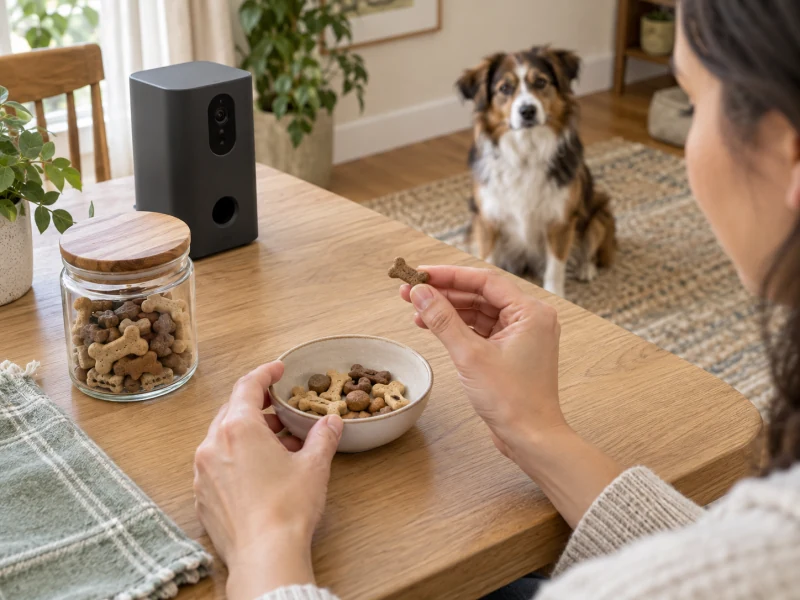
AI-created illustrative scene. The generic dark camera is not Furbo model Furbo3 or ASIN B09GDQZLD1, and the scene does not demonstrate its performance.
A pet camera treat dispenser is useful for checking a room and offering a small remote reward. Choose one around the job you actually need: a live view, a way to talk to your dog or a treat toss. Those functions do not establish reliable meal delivery, a diagnosis of behavior or care during an unattended absence.
The selected Furbo 360° Dog Camera includes basic camera and interaction features without a required subscription under its specified offer. Its practical buying checks are the correct model, compatible treats, power and Wi-Fi, service boundaries, secure placement and a dog that remains comfortable with it.
Start with the pet camera treat dispenser’s job
Separate observation from intervention. Seeing your dog approach the sofa answers a different question from knowing why the dog is pacing. A microphone can let you hear barking, but an alert cannot explain the cause or guarantee that you will receive every event promptly.
Likewise, a remotely tossed treat is an occasional interaction. It does not establish the amount of a complete meal, exclusive access for one animal or that the intended dog ate the food. In a multi-pet home, the animal in the picture may not be the animal that reaches the treat first.
Choose a goal you can verify while someone is home. For example, check whether you can see the usual resting area and whether your dog approaches a test toss calmly. If the real need is a daily meal schedule, the camera-feeder buying guide addresses a different food-dispensing role and explains why a visible event still does not prove intake.
Turn the goal into a setup check
| Buying question | Useful check | Limit to retain |
|---|---|---|
| Can I see my dog? | Review the actual resting area and floor from the installed position | A rotating lens cannot see through furniture or into every room |
| Can I offer a reward? | Try compatible treats with a person present | A successful toss does not prove safe use with every treat or pet |
| Can I hear and speak? | Check both audio directions at a comfortable volume | A voice from a speaker may not reassure every dog |
| Do I need stored history? | Read the service terms for the exact camera offer | Included live view does not establish included video history |
| Can someone respond? | Arrange a person who can check a problem directly | A phone notification is not physical care |

Match the Furbo 360 Dog model and core-feature offer
The specified product is Furbo 360° Dog Camera, Core Features, No Ongoing Cost, ASIN B09GDQZLD1. Its current retailer model fields identify Furbo3 and the Dog 360 no-subscription-needed offer. Mini, Mini 360 and Cat Camera specifications do not establish the features of this Dog 360 offer.
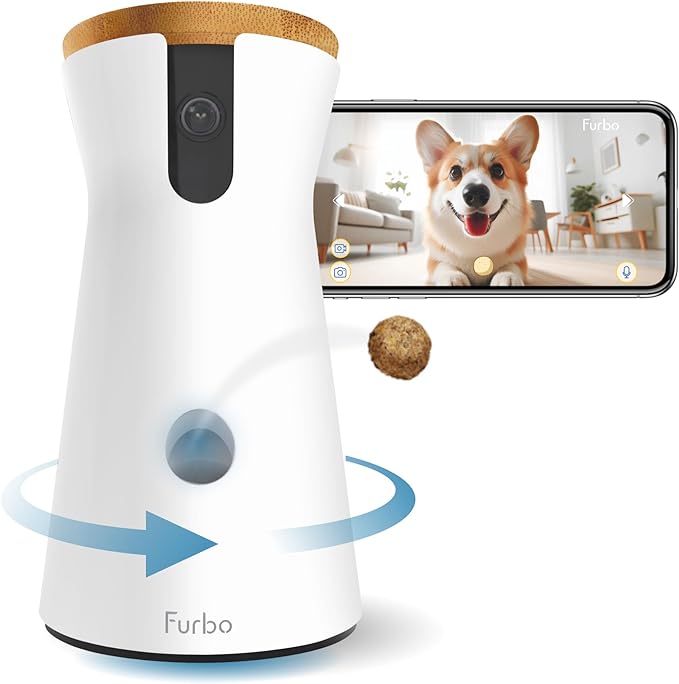
The selected offer lists 1080p live view, a motorized 360-degree view, two-way audio, color night vision, basic barking alerts and treat tossing. These are listed features. Independent image-quality, alert-reliability, toss-consistency and end-to-end-delay results have not been verified for this camera.
For a household seeking those basic observation and reward functions, check the Furbo 360° Dog Camera core-features offer on Amazon. Confirm the Dog 360 version and the service terms shown for that exact purchase.
The product photo includes a phone illustration and a treat shown in flight. It is promotional imagery, not proof of the distance, accuracy or response time of a toss. The selected package does not include a USB power adapter; budget for the specified compatible supply rather than assume every pictured or familiar accessory comes in the box.
The Dog 360 quick-start specifies a safety-compliant USB adapter with 5V output, 2A current and at least 10W power. Match those instructions to the delivered camera and cable. A supply for another Furbo generation, or an unverified retailer voltage field, does not establish compatibility.
Check treats for a pet camera treat dispenser
Furbo’s Dog 360 loading guidance recommends treats about half an inch to three-quarters of an inch in size that are neither sticky nor easily crumbled. It says to keep the contents below the maximum line. Those constraints matter more than a generic promise that a camera works with a pet’s favorite snacks.
Check the actual food’s shape and texture before filling the container. A soft, oily, sticky or fragmenting reward does not become suitable just because one dimension falls inside a size range. Use the matched current instructions and contact the manufacturer when compatibility remains unclear.
Mechanism compatibility and suitability for the animal are separate decisions. Choose a reward consistent with your dog’s feeding plan, allergies and any veterinary diet instructions. If treats are restricted, confirm a suitable option before choosing equipment around the assumption that it will toss anything.
Run a supervised test before remote use
With someone present, try the actual treats and observe the outlet, landing area and dog. Check whether pieces come out normally, whether fragments remain around the opening and whether the animal can retrieve the reward without competing with another pet. Keep hands away from an operating mechanism.
Count the food that actually arrives instead of assuming one app gesture always produces one identical reward. Do not keep tapping because the picture appears delayed. Wait to establish what happened, then stop if the result is unclear. Repeated commands could dispense more food than intended.
A pet camera treat dispenser also needs a limit on human use. If several people have access, agree who can toss rewards and how they count toward the dog’s daily food. A device that works correctly can still deliver an unsuitable total when each person assumes someone else is keeping track.
Place the camera for visibility and a safe landing area
The Dog 360 quick-start guide recommends placement 2–4 feet off the ground and within 15 feet of the Wi-Fi router for coverage and connection. Treat those as manufacturer placement references, rather than a guarantee that any table or room inside those distances will work.
Choose a stable surface where the unit, cable and supply remain out of the animal’s reach. Consider whether a dog could pull the cable, jump against the furniture or knock the camera down while pursuing food. Check the path and landing area without inventing a fixed toss distance.
Use the live view from that position. Review the floor, the usual resting area and likely obstructions, then rotate the view to see what remains hidden. A 360-degree movement describes the camera’s rotation; it does not establish simultaneous visibility of everything around it.
Observe the dog’s response to the startup, movement, speaker and tossing sound while you remain nearby. Introduce one function at a time and keep the volume comfortable. If the dog avoids the area, startles or becomes more agitated, stop the interaction and reassess rather than increase the number of treats or commands.
PRODUCT MENTIONED
Furbo 360° Dog Camera — Core Features, No Subscription Required
Amazon · Details on the retailer’s website
Test the network instead of assuming instant interaction
Furbo’s Dog 360 setup instructions require a 2.4GHz Wi-Fi connection and a smartphone with the app. They also call for Bluetooth during setup. A dual-band router must provide a compatible connection; the selected camera does not gain 5GHz support because another device in the home uses that band.
After setup, check live view, audio and a supervised test toss from the actual installed position. Then check the app through the connection you expect to use away from home. A successful onboarding session beside the router does not demonstrate the same performance through a weak signal or a different phone connection.
Assess the sequence, not just whether a button looks responsive. Did the app show the current room, did the sound arrive, did the treat dispense and did the image catch up? Latency has not been independently measured for this setup, so instant delivery should not be assumed.
If the stream freezes or the outcome of a command is uncertain, avoid sending repeated tosses. Confirm the current state or have someone check the device. Keep normal pet care independent of an app session that may fail because of power, home internet, the phone connection or the service.
Separate included camera functions from Furbo Nanny
The selected retailer offer says the basic see, talk and toss functions do not require a subscription. It distinguishes those from Furbo Nanny’s AI-powered alerts, video history and other advanced services. Do not read “no ongoing cost” as a promise that every feature advertised anywhere in the Furbo range is permanently included.
The current offer also describes an introductory trial for eligible new users. Check the actual account’s terms, the functions available after a trial and any renewal or cancellation conditions. A temporary preview is not a durable hardware entitlement.
Make a short requirement list before enrolling: live view, basic barking alerts, retained clips or a longer history. Confirm each item in the current offer and app. If you already have a Nanny account, check its rules for adding cameras rather than assume the same plan covers any number of devices.
The useful distinction is what you can still do when you decline an optional service. Verify that distinction for the selected Dog 360 offer, and retain a copy of the applicable purchase terms. Subscription prices, plans, eligibility and regional terms can change.
Plan privacy and cleaning for a pet camera treat dispenser
A pet camera treat dispenser sees and hears part of the home. The FTC’s connected-camera guidance recommends checking encryption, keeping software and apps updated, using strong unique passwords and reviewing two-factor authentication where available. Review those controls for the actual account instead of treating a broad encryption claim as an independent security audit.
Consider the people who appear or speak in the room, which users can view footage and which can operate the device. Remove access when someone no longer needs it. Aim the camera with the household’s privacy in mind; a useful view of the dog’s space does not require unrestricted coverage of every private activity nearby.
Furbo’s Dog 360 cleaning guidance says to clean the treat container with a damp cloth and avoid rinsing it directly with water because of the circuit board. It also warns against attempting to disassemble the camera’s components. Do not treat the hopper as a removable, dishwasher-safe feeder bowl.
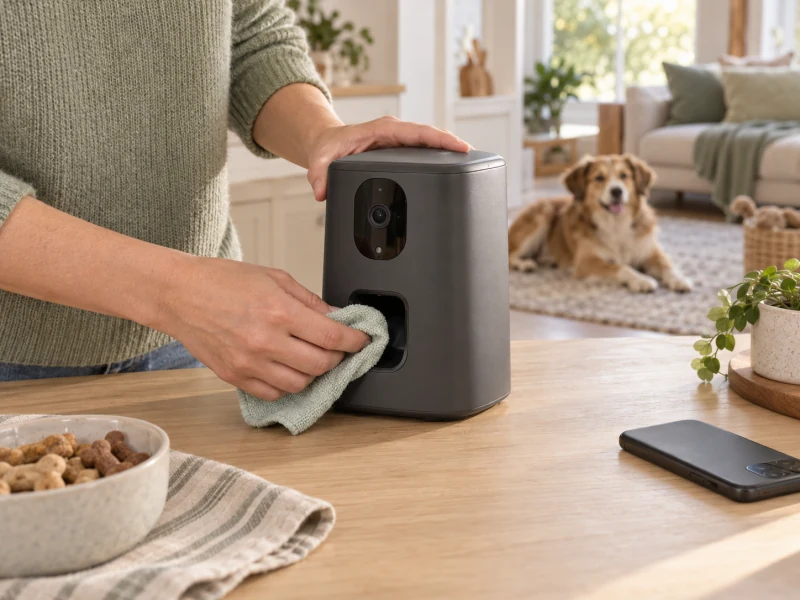
Before purchase, decide whether that cleaning approach suits the intended treats and household routine. Follow the matched instructions, keep the food area clean and resolve a jam through model-specific support. Do not force tools into an operating outlet or dismantle the mechanism to make an incompatible treat work.
Frequently asked questions
Can a treat camera replace scheduled meals?
Use the Furbo for viewing, audio and rewards; its documented functions do not establish a measured meal-delivery role. Keep complete meals, daily food amounts and direct care in a separate feeding plan.
Will talking through the camera calm my dog?
That outcome is not established. Observe the individual dog’s response during supervised introduction. Persistent distress or a behavior concern needs appropriate professional advice; more remote voice commands and treats do not establish a treatment.
Does the selected Furbo need a paid plan?
The specified core-features offer lists basic camera and interaction functions without a required subscription. Advanced Nanny services are separate. Verify the exact offer and post-trial account features before relying on a recording or alert function.
Choose a reward camera you can use deliberately
A pet camera treat dispenser earns its place when the view answers a useful question, compatible rewards work during supervised checks and the dog remains comfortable. For this Furbo Dog 360 offer, confirm the core-service boundary, a proper power supply, 2.4GHz connection and the restricted cleaning method.
Keep the decision grounded in observable functions. A clear live picture and a successful treat toss can support interaction, while a human remains responsible for food limits, privacy, equipment faults and care when something needs attention.
View Furbo 360° Dog Camera — Core Features, No Subscription Required on Amazon.
Comments are reviewed before they appear publicly. Please keep questions and feedback relevant to this article.