
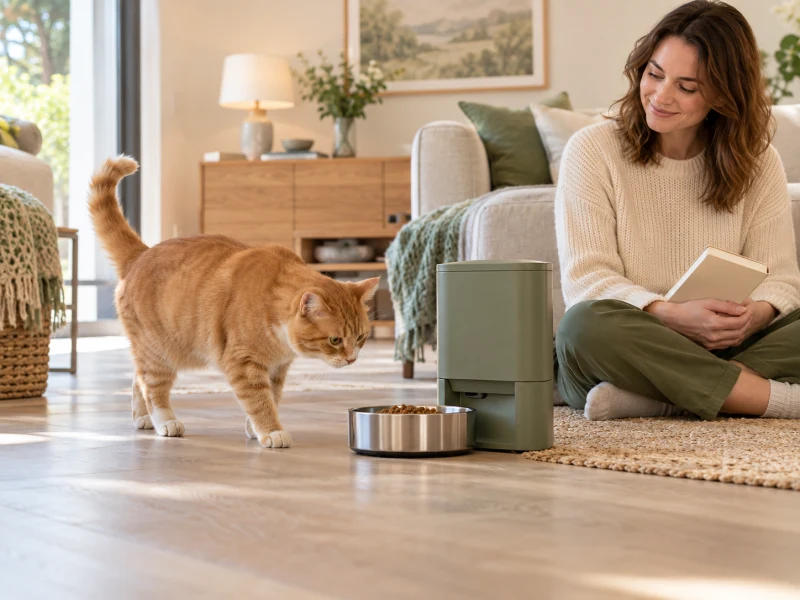
AI-created generic feeder-manual scene; not a named-model product photograph or a hands-on test.
To find the correct WOPET automatic pet feeder manual, identify the model code on your feeder and match it to WOPET’s official download page. Then compare the PDF’s cover, control panel and parts with the machine in front of you. “WOPET feeder” is not a complete model name, and instructions for a similar-looking unit can change the wrong setting.
You do not need to buy another feeder to solve a missing-manual problem. Start with the existing machine, its label, any packaging you kept and the official files. Keep feeding your pet through a familiar, supervised method while you work, particularly if the schedule or portion settings are uncertain.
Find the WOPET automatic pet feeder manual by model
Use the official automatic-feeder manual index. It lists individual products with separate Download links. Some entries use a marketing family name as well as a short model code, so record both when they are visible.
On the feeder, look for an accessible external rating label or model marking. Photograph that label and the front controls before changing anything. If the label is underneath, first follow the machine’s instructions for disconnecting power and safely handling its food container. Do not tip a full hopper just to read a sticker or lift the unit by its lid.
When the label cannot be reached safely, start with an order record or packaging. A photograph of the front can help support staff identify a family, but it may not distinguish an internal revision. Avoid choosing a PDF solely because its color or bowl resembles yours.

Use model names as a route to the file
The following are examples visible in the official index during this check. They are navigation clues, not a statement that the models share portions, button sequences or app requirements. Keep any suffix, “Pro” wording or dual-bowl designation when comparing the entry.
| Index wording or family | Code shown in the index | What to check next |
|---|---|---|
| Barn automatic feeder | FT50 | The downloaded quick guide is headed FT50. |
| Cube Lite automatic feeder | CL11 | The full manual cover says Cube Lite 11, model CL11. |
| Cube Air WiFi feeder | CA10 | Match the exact WiFi version and its controls. |
| Patrol feeder | F07 and F07 Pro are separate entries. | Do not drop the Pro suffix. |
| Barn dual feeder | FT50D on the second index page | Keep the D suffix and dual-bowl layout. |
| Heritage Air family | Some entries include former Barn names. | Compare the downloaded cover and delivered label, not the renamed family alone. |
If the first screen does not show your device, check the second official index page. Search the page for the exact code as well as the product name. A renamed product may be filed under a newer name, while a similar code can lead to a different bowl or connectivity arrangement.
Check the WOPET automatic pet feeder manual before programming
Open the PDF and verify three things: its named model, its control illustration and its parts diagram. A cover match is the first check; the layout of the actual buttons is another useful check. If a document describes a camera or WiFi control that your unit does not have, stop and resolve the mismatch.
For example, the official FT50 Download link currently opens an FT50 Quick Start Guide. Its two sheets show a specific physical panel and refer readers to pages in a longer user manual. That short file should not be mistaken for a complete maintenance and safety manual merely because it contains a programming summary.
The Cube Lite 11 file has a cover identifying model CL11 and multiple language sections. Use the English section if that is the language you need; a large PDF page count does not necessarily mean there are that many pages of unique operating instructions.

Save the exact matching file locally, including its original filename, and keep a photo of the feeder label beside it. If the document and machine still disagree, send those two items to WOPET support. Do not decide that a missing button must be hidden behind an undocumented menu.
Separate current time, meal time and portion settings
Once the model is confirmed, identify what each screen field controls before pressing a setting button. The feeder’s current clock, a scheduled meal’s time and that meal’s portion count are different values. A correct-looking clock does not establish that a meal has been saved.
Read the clock format in the matching document. The FT50 quick guide, for instance, describes a 24-hour clock. That is a model-specific example, not permission to assume every WOPET display uses the same format. Check the actual screen and its manual, including any AM/PM indicator.
Write down the existing schedule before editing. Change one intended setting, save it as the manual describes and return to the ordinary display. Then inspect the saved schedule again. This is especially useful when several people share feeding duties: someone else may already have added a meal or given a manual portion.
Do not transfer portion numbers between feeders
In a WOPET automatic pet feeder manual, a “portion” is the model’s dispensing unit, not a universal nutritional amount. The same number on another model does not establish the same mass of food. Even a volume figure in the correct manual does not tell you the calories in your particular kibble.
Use the pet’s established feeding plan and the food’s labeling to decide the required daily amount, with veterinary guidance when needed. Then check what the confirmed feeder actually dispenses using that food. Account for treats, hand feeding and manual test portions in the day’s total.
Do not keep pressing manual feed while trying to understand a setting without collecting and accounting for the food. Put test portions aside appropriately rather than allowing repeated troubleshooting to become extra meals. In a multi-pet home, also observe which animal reaches the bowl; a dispensing record cannot identify the eater by itself.
Read the WOPET automatic pet feeder manual before a reset
A locked panel, a low battery, an empty hopper and an incorrect schedule are different problems. Find the matching troubleshooting section before using a reset sequence. An instruction from another model can erase a working plan or start pairing when all you needed was to unlock the panel.
Before a documented reset, record the clock, meals, portions and any app settings you can still read. Understand what the manual says will be removed. If it does not explain the effect clearly, ask support rather than assuming the settings will survive.
Likewise, do not assume an app named in a website footer is the app for every feeder. Use the app instructions associated with your exact model and current manufacturer support. For broader feature context, the camera-feeder buying checks explain why a camera, an app connection and actual feeding confirmation are separate considerations.
Check one supervised feed after changes
After using the matching WOPET automatic pet feeder manual to program the unit, confirm the intended schedule on the display or app and observe the next appropriate feed. Check that the food reaches the bowl and that your pet can eat comfortably. Keep an ordinary feeding backup available until the settings and operation are clear.
- Check the correct model and document before changing controls.
- Confirm the clock format and the intended meal time.
- Inspect saved portions instead of relying on a button press alone.
- Account for any manual test food already dispensed.
- Verify power and battery requirements in the matching manual.
- Observe the bowl and the pet, not just a display message.
If the feeder repeatedly misses meals, jams, loses power or behaves differently from its instructions, use the manufacturer’s support route and a supervised feeding alternative. Do not put fingers into a dispensing mechanism, open electrical housings or bypass an interlock to make an uncertain machine operate.
When the WOPET automatic pet feeder manual is missing
Contact WOPET with the model label, a clear front-control photo, the order reference and the specific task you need to perform. Explain whether you need the full user manual or only a quick-start sheet. If a support reply links a different model, ask them to confirm the relationship before using it.
The useful result is a document that matches your machine and lets you verify its saved operation. A random PDF that happens to include the words “automatic feeder” does not resolve that problem, and a new purchase is unnecessary unless a separate, confirmed equipment issue calls for it.
Common questions
Is there one WOPET automatic pet feeder manual for every model?
No. The official index contains separate model entries and downloads. Match the exact code, suffix and controls before applying a procedure.
Why does the FT50 download look shorter than a full manual?
The checked official link opens a two-sheet quick-start guide that refers to a longer manual. Ask support for the full matching instructions if you need information the short guide does not contain.
Can I use instructions for a similar-looking WOPET feeder?
Use them only after the manufacturer confirms compatibility with your exact model and revision. Similar colors, bowls and housings do not establish identical programming or food portions.
First check the matching manual for panel-lock, power and troubleshooting guidance. Record existing settings before any documented reset, and keep feeding your pet through a reliable supervised method while the issue is unresolved.
Comments are reviewed before they appear publicly. Please keep questions and feedback relevant to this article.